Main contractors and specialist subcontractors work on the same project, but they often manage different versions of its information. The main contractor maintains the wider project record. Specialist teams create their own trackers for drawings, questions, progress, instructions and commercial matters. Supervisors rely on information prepared by project managers, while field updates return to the office through calls, photographs and meeting notes. Each process appears reasonable on its own, but the difficulty emerges where they meet. A drawing is updated in the contractor’s system but not in the subcontractor’s field folder. A technical answer reaches the project manager but not the supervisor. A field instruction is understood by the people present but never reaches the commercial team. A snag is closed internally while remaining open in the main project record. Field collaboration breaks down in these gaps between people, companies and systems.
Both sides maintain their own project picture
Main contractors and subcontractors need different levels of control over the same project. The main contractor is looking across the full job, while the subcontractor is managing its own scope, workforce, materials and responsibilities in much more detail. That becomes difficult when both sides start maintaining the same information separately. One team has an issue list, another a drawing register, and someone else may be tracking changes in a spreadsheet. Updates then have to be copied from one place to another. This is where inconsistencies start to creep in. An item can be closed in one system but still appear open in another, deadlines may differ, and teams can end up spending time checking which record is current before they can act on it.
A shared workflow gives both parties a common place for the information they need to exchange, while each company can continue managing its own internal processes. That makes responsibilities, updates and current status easier to follow across the project team. Drawings, RFIs, field issues, instructions and snags are good examples. Each company still analyses them internally, but the shared project record should remain the common reference.
Access is often concentrated in too few people
Many project systems are used mainly by project managers, document controllers and administrators. The subcontractor’s project manager receives new information and then distributes it internally, while supervisors and installers depend on forwarded files, screenshots or verbal updates. This creates a bottleneck. One person becomes responsible for checking revisions, relaying decisions, gathering photographs and updating both internal and external trackers. The arrangement probably works while the workload is manageable and the person is available, but it becomes fragile when several projects demand attention at once.
Information should remain controlled, but authorised field users also need direct access to the records relevant to their work. A supervisor should be able to review an assigned issue or confirm the current drawing without waiting for someone in the office to forward it. Access also needs to reflect responsibility. A subcontractor must be able to review a drawing, respond to an assigned issue or add completion evidence without requiring the same capabilities as the project administrator. Defining these permissions clearly helps teams collaborate through one agreed route without exposing unrelated information. The licensing and collaboration model of the selected platform can have a direct influence here. Restricted access encourages workarounds. Practical access helps the project team keep information within the agreed workflow.
Document control stops at the point of issue
A drawing management process may successfully record every revision and still fail to protect the work on field. The issue date and revision number are clear in the project platform. The missing step is translating that update into action. Someone needs to review the change, understand which activities are affected and make sure the relevant people receive it. Work that has already started also needs attention. Without this operational review, a revised drawing simply becomes another file in the system. This explains why drawing problems can occur even on projects with formal document control. The project has a reliable record of what was issued, but no reliable process for confirming how the change reached the field. Contractors and specialist teams should define responsibility for that handover. The process needs to cover digital, downloaded and printed information.
Technical answers become detached from the original question
Questions from site rarely follow a perfectly straight route. A subcontractor stops because a detail is unclear, marks up the drawing, adds photographs and sends the question to the contractor. The contractor then brings in the consultant, and the discussion moves through emails, messages or calls before a response is agreed. By the time that decision reaches the field team, part of the original context is often missing. The answer sits separately from the supporting drawing, earlier messages are still being referenced, and the project record shows the outcome without explaining how the decision was reached.
A structured RFI workflow keeps the original question, supporting information, ownership, status and final response together. This gives the field team a clear answer to work from and leaves the wider project team with a record they can refer back to later. That record becomes particularly useful when the people involved change or the decision needs to be revisited months afterwards. The team can still see what was asked, what was agreed and the information behind the decision.
Verbal instructions create different memories of the same event
Field teams often need to act quickly, and not every instruction can wait for a formal document before work moves forward. But when a request changes the scope, sequence or resources required, it needs to be recorded clearly. What looks like a small adjustment to the contractor may have a much bigger effect on the subcontractor. It could require extra labour, different materials or additional access, and the details are easy to remember differently once the work has moved on. A simple written record helps avoid that later confusion. It should show what was requested, who issued the instruction, where it applies and which drawings or photographs support it. Any impact on programme or cost can then be handled through the agreed commercial process with the relevant evidence already in place. This gives both sides a clearer project history without delaying day-to-day decisions.
Information reaches the field more easily than it returns
Many construction processes are designed around issuing information from the office to the field. Drawings, instructions and approvals follow established routes, but information about actual site conditions often returns through less structured channels. Photographs are shared in messages, progress is discussed on calls, issues are raised in coordination meetings and updates are added to spreadsheets later. By the time that information reaches the office, the project team often has several fragments rather than one complete record.
This creates extra work for both the main contractor and the subcontractor. The contractor has a less complete view of current site activity, while the subcontractor repeats the same update to different people and spends more time finding supporting evidence when it is needed later.
A stronger field workflow allows site teams to record information directly against the relevant project item. Issues remain connected to their location and supporting evidence, completed snags include the information needed for verification, and technical questions show their current status and ownership. Office teams can then work from the same records without relying on copied updates or repeated data entry.
Once that information is captured consistently, project managers also have a clearer view of assigned work, open issues and items that need follow-up. This reduces the need for separate trackers and makes project information easier to review across office and site teams.
Photographs are captured quickly and organised slowly

Today, an image shows the exact condition that affected the work, but its meaning fades when it is separated from the location, issue or instruction. Several weeks later, a folder of field photographs contains hundreds of images with little explanation. Field users need a quick way to connect the image to the relevant record at the moment of capture.
That small amount of context makes the photograph far more useful. It can support an inspection, explain a technical question, confirm completed work or record a condition before it becomes concealed. Where the wider field condition matters, a dated 360 record connected with the drawing can provide more context than a collection of separate photographs. This is particularly useful when the contractor and subcontractor need to review the same area remotely or verify how the condition changed.
Snagging exposes every weakness in the collaboration process
Snagging brings together drawings, responsibilities, locations, deadlines, photographs and approval. When collaboration is fragmented, snagging quickly becomes difficult. When several snag lists are being used at the same time, the same item can easily appear in more than one place. A subcontractor possibly closes the snag in its own tracker while the main contractor still sees it as open, and supporting photographs may be stored or shared separately. Supervisors then spend time matching records and confirming work that has already been completed. A shared digital workflow reduces these gaps. Each item has a common description and status. The responsible team can add evidence from field, while the person verifying the work can review the same record. This does not eliminate disagreement, but it gives everyone a clearer basis for resolving it.
Field software can fail through poor fit
A platform can offer extensive functionality and still struggle to gain adoption on field. Field users work under time pressure and in environments where connectivity, screen size and physical conditions all matter. Routine tasks need to be quick and clear. When the process is too demanding, people return to familiar methods. They take a photograph, write a note or call the project manager. The official system is updated later, often with less detail.
Mobile and offline access need to support normal field conditions, while in-app assisted onboarding can help new users understand the agreed route without depending entirely on informal training from one colleague. This is why field workflows should be tested with real users and realistic tasks. Can a supervisor find the current drawing quickly? Can an installer add a photograph to an assigned issue? Can a snag be updated in an area with limited connectivity? Can the office see the result without asking for another report? Together, these checks show whether the workflow is practical enough to become part of everyday site work.
Shared expectations need to be agreed early
Many collaboration problems begin before work starts. The project team introduces its platform and provides access, but the practical rules remain unclear. Subcontractors do not know which records they should create, how drawing revisions will be communicated or what evidence is required to close an item. Each company then develops its own interpretation.
A short working agreement can establish the shared process. It should cover the information that moves between companies and clarify who owns each stage. The most important points are usually:
- Where current project information will be maintained
- How revisions and critical updates will reach the field
- How questions, instructions and issues will be recorded
- Which users need access and what they can do
- How completion and approval will be confirmed
The agreement should be practical enough for daily use. Field teams, project managers and commercial representatives all need to understand it.
Supporting shared workflows with ProjectSight
ProjectSight brings project and field information into one centralised environment, helping contractors and specialist teams keep drawings, RFIs, issues, daily reports, snag lists, checklists and supporting evidence connected throughout delivery. AI-powered drawing upload reduces repetitive administration as new packages and revisions arrive, while customisable dashboards give project managers a clearer view of assigned work, open issues and records that need attention.
The same connected approach extends to the field. Mobile and offline access support day-to-day site work, and ProjectSight 360 Capture provides a dated visual record that adds wider context to drawings, issues and site conditions. In-app assisted onboarding also helps new users become familiar with the agreed workflow more quickly.
External teams can take part without opening access to unrelated project information. Unlimited free collaborators can participate in approved workflows according to configurable permissions and role-based feature limits, helping subcontractors work directly with the records relevant to their role.
Construsoft can help contractors and specialist teams review their current processes, define the right access and permissions, and identify a practical field collaboration workflow for the first stage of rollout.
Review where your workflow breaks down
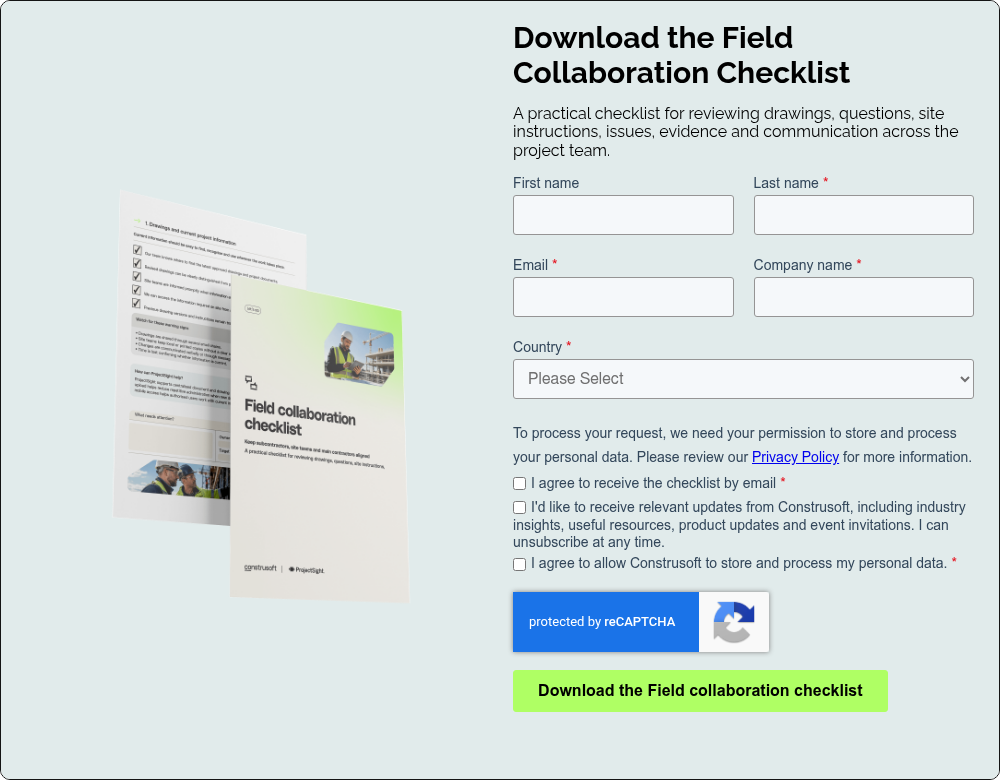
The Field Collaboration Checklist is a free tool provided by Construsoft that helps contractors and subcontractors examine how information moves across the project team. Use it together with representatives from both sides. A joint review often reveals gaps that remain invisible when each company assesses only its own process.